By effectively managing IT assets, companies of all sizes can ensure that their technology delivers the maximum value. For everything from computers and servers to software licenses and networking devices, the need for monitoring, maintenance, and maximising returns on technology investments is growing. Asset IT management software enables businesses to monitor the entire life cycle of IT assets, enhance the efficiency of their operations and avoid wasteful expenditure. Various factors like the size of business, infrastructure and operational requirements determine the solution to choose. Knowing about the various types of IT asset management software will support organisations in picking an application suited for their requirements and also future financial expansion.
IT Asset Lifecycle Management
One main advantage of asset IT management software is the management of the entire life cycle of IT assets. Its life cycle starts at procurement, to deployment, then maintenance, upgrades and finally disposal or replacement.
A lifecycle management system is a tool that can be useful for businesses:
- Keep monitoring asset ownership/whereabouts.
- Schedule regular maintenance
- Monitor software licenses
- Ensure proper record keeping of assets.
- Improve asset utilisation
A lifecycle management of assets assists organisations in minimizing downtime, ensuring compliance and making informed decisions on repairs, upgrades, and replacements.
A number of companies also use asset management software to connect their IT processes and gain a better view of assets throughout different departments.
Cloud-Based vs On-Premise Solutions
There are two types of IT asset management solutions: cloud-based and on-premise.IT asset management solutions can be provided either in the cloud or on-premise, depending on the businesses’ needs.
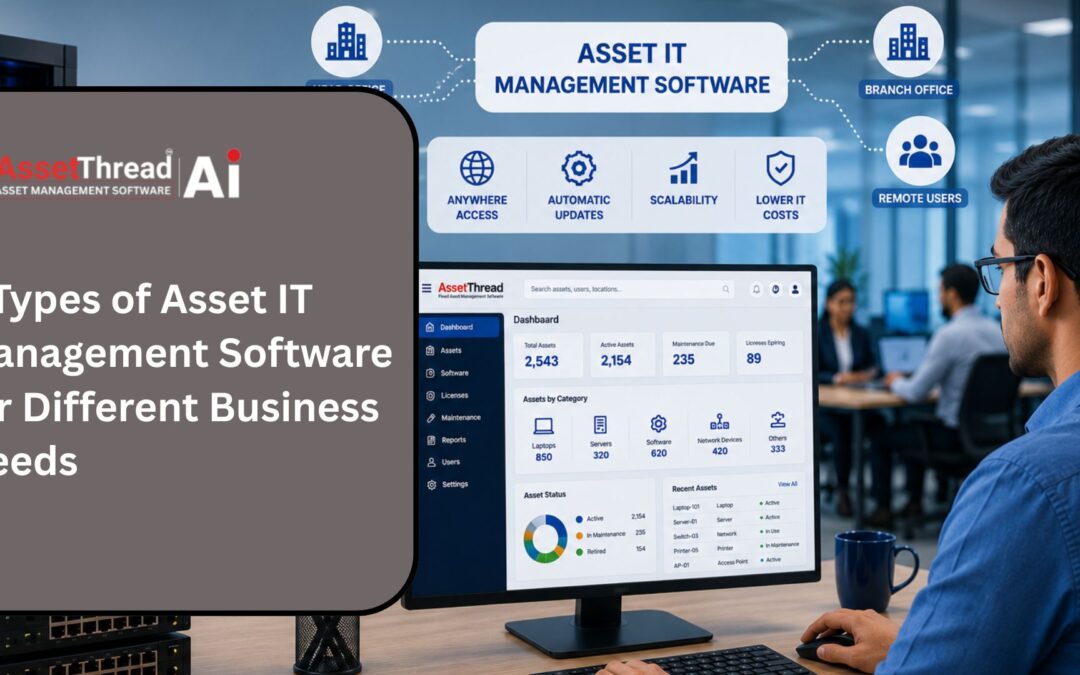
Cloud-based systems offer remote access, automatic software updates, reduced infrastructure costs and simplifies scalability. These are great for organizations that have multiple locations or remote workers who need access from locations they’re away from.
On premise solutions are deployed on the systems installed on a company’s server, allowing the organisation to have greater control over the data and how the system is managed. Such systems can be desired when companies have strict security or compliance needs.
Each deployment model has its merits and it depends on the size of the businesses, IT resources and the future and long term deployment plans.
SMB vs Enterprise IT Asset Management
Various companies need their knowledge and abilities in asset management to be of various lengths. For small and medium-sized businesses (SMBs), the requirement is for a solution that is not overly complex and provides visibility of assets, stock management, and reporting.
If the enterprise organisation has to manage thousands of IT assets across various locations, then they’ll need advanced capabilities. These systems are likely to be automated, to generate advanced reports, to incorporate workflow operations and to integrate with existing enterprise applications.
When purchasing an asset IT management software, companies must take into account:
- Number of IT assets
- Business growth plans
- Reporting requirements
- Integration capabilities
- Ease of implementation
Sharing of IT asset information and records with depreciation software can make it easier to keep track of technology asset values over their lifespan and report on them.
Conclusion
The appropriate Asset IT management software aids the organizations in managing the IT assets in a better manner throughout their lifecycle. With a grasp of lifecycle management, business organisations can make informed decisions regarding cloud-based versus on-premise options, choose the right size of software for their needs, and enhance their visibility of assets while lowering their operational costs and ensuring long-term growth.
Frequently Asked Questions
Q1. What is asset IT management software?
A. Asset IT management software helps businesses track, manage, and maintain IT assets such as computers, servers, software licenses, and networking equipment throughout their lifecycle.
Q2. What is IT asset lifecycle management?
A. IT asset lifecycle management involves managing assets from procurement and deployment to maintenance, upgrades, and disposal, ensuring maximum value throughout their lifespan.
Q3. How can businesses improve their IT asset management process?
A. Businesses can improve their IT asset management process by maintaining accurate asset records, automating lifecycle tracking, conducting regular audits, and using centralized management tools to increase efficiency and visibility.